
Understanding how visitors interact with your website is essential for making informed marketing and SEO decisions. While attracting traffic is important, knowing what users do after they arrive on your website is what drives meaningful improvements in engagement, conversions, and business growth.
Google Analytics is one of the most widely used web analytics platforms, providing detailed insights into user behavior, traffic sources, audience demographics, and website performance. Whether you manage a personal blog, an eCommerce store, a business website, or a large enterprise platform, Google Analytics helps you measure the effectiveness of your online presence and identify opportunities for continuous improvement.
The latest version, Google Analytics 4 (GA4), introduces an event-based measurement model that offers greater flexibility and a more complete understanding of the customer journey across websites and mobile apps.
In this guide, you’ll learn what Google Analytics is, why it matters, how it works, and how to use its reports to improve your website’s performance and support your overall digital marketing strategy.
What Is Google Analytics?
Google Analytics is a free web analytics platform developed by Google that helps website owners measure, analyze, and understand how users interact with their websites and applications.
Unlike tools that focus solely on search engine visibility, Google Analytics tracks what visitors do after they arrive on your website. It collects data about user activity, including page views, engagement, traffic sources, conversions, and user journeys, helping you evaluate how effectively your website meets both user and business goals.
The current version, Google Analytics 4 (GA4), uses an event-based data model instead of the session-focused approach used in Universal Analytics. This enables more flexible tracking of user interactions while providing deeper insights into how visitors engage with content across different devices and platforms.
By analyzing this data, website owners can make informed decisions to improve user experience, optimize marketing campaigns, and achieve better business outcomes.
Why Google Analytics Is Important
Every website generates data, but without the right tools, that data has little value. Google Analytics transforms raw visitor information into actionable insights that help you understand what’s working and where improvements are needed.
Instead of relying on assumptions, you can use real user data to answer important questions such as:
- How many people visit your website?
- Where do your visitors come from?
- Which pages attract the most traffic?
- How long do users stay on your website?
- Which content keeps visitors engaged?
- What actions do users complete before leaving?
- Which marketing channels generate the most valuable traffic?
The answers to these questions help improve not only your SEO strategy but also your content marketing, advertising campaigns, user experience, and conversion optimization efforts.
Some of the biggest benefits of Google Analytics include:
- Measuring website traffic and visitor engagement
- Understanding audience demographics and interests
- Identifying your most successful content
- Tracking conversions and business goals
- Evaluating marketing campaign performance
- Improving website usability based on user behavior
- Supporting data-driven SEO and content optimization
- Measuring business growth over time
Rather than guessing why traffic changes or why visitors leave certain pages, Google Analytics provides the evidence needed to make informed decisions.
Who Should Use Google Analytics?
Google Analytics is designed for anyone who wants to understand website performance and make data-driven decisions.
It is particularly valuable for:
- SEO professionals who monitor organic traffic trends.
- Content marketers who evaluate article performance.
- Website owners who measure visitor engagement.
- Digital marketing agencies that manage multiple client websites.
- E-commerce businesses that track customer journeys and sales.
- Local businesses that measure lead generation.
- Bloggers who understand reader behavior.
- Developers who monitor website performance after updates.
- Business owners who evaluate marketing return on investment.
Regardless of your industry or website size, Google Analytics provides valuable insights that support long-term growth.
How Google Analytics Works
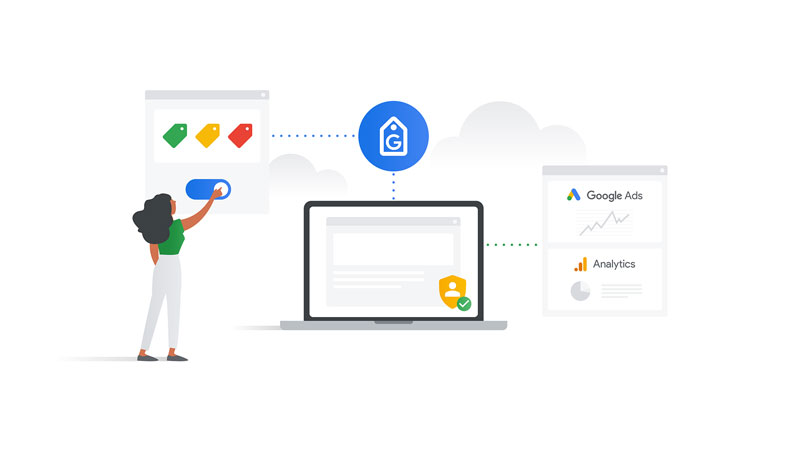
Google Analytics collects information about how visitors interact with your website through a tracking tag installed on your pages.
When someone visits your website, the tracking tag records user interactions and securely sends anonymous data to Google Analytics for processing. The platform then organizes this information into reports that help you understand visitor behavior and website performance.
Instead of tracking only page views, Google Analytics 4 records user interactions as events.
Examples of events include:
- Viewing a page
- Clicking a button
- Downloading a file
- Watching a video
- Scrolling through a page
- Submitting a contact form
- Completing a purchase
Because every interaction is measured as an event, GA4 provides a more detailed understanding of how users engage with your website throughout their journey.
This event-based model also allows businesses to customize tracking based on their specific goals, making Google Analytics suitable for everything from small blogs to enterprise-level websites.
Google Analytics vs. Google Search Console
Although Google Analytics and Google Search Console are often used together, they provide different types of information.
Google Analytics focuses on what visitors do after they arrive on your website, while Google Search Console explains how users discover your website through Google Search.
| Google Analytics | Google Search Console |
|---|---|
| Measures user behavior after visitors arrive on your website. | Measures your website’s visibility in Google Search. |
| Tracks users, sessions, engagement, events, and conversions. | Tracks impressions, clicks, click-through rate, and average position. |
| Reports traffic from all marketing channels. | Reports traffic specifically from Google Search. |
| Helps evaluate website performance and user experience. | Helps identify indexing, crawling, and search performance issues. |
| Supports marketing, conversion optimization, and business analysis. | Supports technical SEO and organic search optimization. |
Neither platform replaces the other. Instead, they complement each other.
For example, Google Search Console may show that a page receives thousands of impressions but has a relatively low click-through rate. After users click that page, Google Analytics helps determine whether they stay engaged, explore additional content, complete desired actions, or leave the website quickly.
Using both platforms together provides a more complete understanding of your website’s performance, from search visibility to user engagement and conversions.
Learn more about Google Search Console.
How to Set Up Google Analytics 4
Setting up Google Analytics 4 (GA4) is the first step toward collecting meaningful data about your website’s visitors. A proper setup ensures that user interactions are tracked accurately, allowing you to monitor performance and make informed decisions based on reliable insights.
1. Create a Google Analytics Account
If you’re new to Google Analytics, start by creating an account using your Google account.
During the setup process, you’ll be asked to:
- Create an account.
- Give your account a descriptive name.
- Configure basic data sharing settings.
- Create a new GA4 property.
An account can contain multiple properties, making it easy to manage several websites or applications under one Google Analytics account.
2. Create a GA4 Property
A property represents the website or application you want to measure.
When creating a property, you’ll provide information such as:
- Property name
- Reporting time zone
- Currency
- Business category
- Business size
- Primary business objectives
These settings help Google Analytics configure reports that are relevant to your business.
3. Set Up a Data Stream
After creating your property, you’ll create a data stream.
A data stream is the source of data that Google Analytics collects. Depending on your needs, you can create streams for:
- Websites
- Android apps
- iOS apps
Most website owners only need a Web Data Stream.
During setup, you’ll enter your website URL and assign a stream name.
4. Install the Google Analytics Tracking Code
To begin collecting data, Google Analytics must be connected to your website.
There are several installation methods available:
I. Google Tag Manager
Google Tag Manager is the recommended option for many websites because it allows you to manage tracking tags without editing your site’s code each time changes are needed.
II. Website Builder or CMS Integration
Popular platforms such as WordPress, Shopify, Wix, Squarespace, and others often provide built-in integrations or plugins that simplify the installation process.
III. Manual Installation
Advanced users can install the Google Analytics tag directly within their website’s code.
Once the tracking code is active, Google Analytics begins collecting visitor data almost immediately.
Understanding Events in Google Analytics
One of the biggest differences between Google Analytics 4 and its predecessor is the use of an event-based measurement model.
Instead of focusing primarily on page views and sessions, GA4 records nearly every user interaction as an event.
This approach provides a more detailed understanding of how visitors engage with your website.
Examples of common events include:
- Page views
- Scrolls
- Outbound link clicks
- File downloads
- Video engagement
- Form submissions
- Purchases
- Searches performed on your website
Because every interaction is treated consistently, GA4 creates a more flexible and complete picture of the customer journey.
1. Automatically Collected Events
Some events are collected automatically after installation.
Examples include:
- First visit
- Session start
- Page view
- User engagement
These events require no additional configuration.
2. Enhanced Measurement Events
Enhanced Measurement automatically tracks additional interactions without requiring custom code.
These include:
- Scroll tracking
- Outbound clicks
- Site search
- File downloads
- Video engagement
- Page changes
For many websites, Enhanced Measurement provides valuable insights immediately after setup.
3. Recommended Events
Google also recommends specific event names for common business activities.
Examples include:
- Login
- Sign up
- Purchase
- Add to cart
- Begin checkout
- Generate lead
Using Google’s recommended event names improves reporting consistency and compatibility with other Google services.
4. Custom Events
If your business tracks unique user actions, you can create custom events tailored to your specific objectives.
Examples include:
- Calculator usage
- Quote requests
- Membership applications
- Appointment bookings
- Interactive tool usage
Custom events allow businesses to measure actions that are most important to their goals.
Understanding Key Events
In Google Analytics 4, conversions are now referred to as Key Events.
A Key Event represents an action that contributes directly to your business objectives.
Depending on your website, Key Events may include:
- Contact form submissions
- Newsletter subscriptions
- Product purchases
- Account registrations
- Demo requests
- Appointment bookings
- Phone call clicks
Tracking Key Events allows you to measure how effectively your website converts visitors into leads or customers.
Rather than focusing solely on traffic volume, successful websites also evaluate how many visitors complete valuable actions.
Exploring the Main Reports in Google Analytics
Google Analytics organizes collected data into several reports that help you understand different aspects of website performance.
Each report provides unique insights into user behavior and marketing effectiveness.
1. Real-Time Report
The Real-Time report displays visitor activity occurring within the last 30 minutes.
This report allows you to monitor:
- Active users
- Current traffic sources
- Pages being viewed
- User locations
- Events being triggered
- Recent conversions
It is particularly useful after publishing new content, launching marketing campaigns, or testing tracking implementations.
2. Acquisition Reports
Acquisition reports explain how visitors discover your website.
Traffic is grouped into channels such as:
- Organic Search
- Direct
- Referral
- Paid Search
- Organic Social
- Display
- Cross-network campaigns
By reviewing acquisition data, you can determine which marketing efforts generate the most valuable traffic and where future investment should be focused.
3. Engagement Reports
Engagement reports help you understand how users interact with your website after arriving.
Important metrics include:
- Engaged sessions
- Average engagement time
- Events
- Views
- Key Events
These reports identify content that keeps visitors engaged while also revealing pages that may require improvement.
4. Demographics Reports
Demographics reports provide insights into your audience characteristics.
Available information may include:
- Country
- Region
- City
- Language
- Age groups
- Gender
- Interests
Understanding your audience helps create more relevant content and marketing campaigns.
Some demographic information depends on user privacy settings and available data signals.
5. Tech Reports
Technology reports show which devices and technologies visitors use to access your website.
Examples include:
- Desktop
- Mobile
- Tablet
- Browser
- Operating system
- Device category
- Screen resolution
These insights help identify potential compatibility issues and ensure your website performs well across different devices.
Monitoring these reports is especially important as mobile traffic continues to grow across most industries.
Using Google Analytics to Improve SEO
While Google Analytics is not an SEO tool in the traditional sense, it provides valuable insights that help you understand how users interact with your website after arriving from search engines. Combined with keyword and indexing data from Google Search Console, Google Analytics helps you make informed decisions that improve both user experience and organic performance.
Instead of focusing solely on rankings, you can evaluate how effectively your content engages visitors and supports your business objectives.
1. Measure Organic Traffic
One of the first metrics SEO professionals monitor is organic traffic.
The ‘Traffic Acquisition’ report shows how many visitors arrive through Organic Search compared to other channels such as Direct, Referral, Paid Search, Email, and Social.
Tracking organic traffic over time helps you:
- Measure the impact of your SEO efforts.
- Identify seasonal traffic trends.
- Monitor the effects of website updates.
- Evaluate the impact of Google algorithm changes.
Rather than focusing on short-term fluctuations, monitor long-term trends to understand whether your SEO strategy is moving in the right direction.
2. Analyze Landing Page Performance
Landing pages are often the first pages visitors see when they arrive from search engines.
Evaluating their performance helps determine whether your content meets user expectations.
Review metrics such as:
- Users
- Engagement rate
- Average engagement time
- Key Events
- Revenue (for eCommerce websites)
Pages with high traffic but low engagement may indicate that users are not finding the information they expected. Updating the content, improving page structure, or aligning it more closely with search intent can often improve performance.
3. Understand User Engagement
Google Analytics 4 places a strong emphasis on user engagement rather than relying only on traditional metrics like bounce rate.
Some of the most useful engagement metrics include:
I. Engaged Sessions
An engaged session is one in which a visitor spends meaningful time on your website, views multiple pages, or completes an important event.
II. Average Engagement Time
This metric measures how long users actively interact with your content.
Longer engagement times often suggest that visitors find your content useful and relevant.
III. Events
Reviewing events helps you understand how users interact with your website beyond simply viewing pages.
Monitoring engagement allows you to identify your strongest content and discover opportunities to improve pages that receive traffic but generate little interaction.
Tracking Conversions and Business Goals
Traffic alone does not determine the success of a website.
Google Analytics helps measure whether visitors complete meaningful actions that contribute to your business objectives.
Depending on your website, these actions may include:
- Contact form submissions
- Newsletter sign-ups
- Product purchases
- Appointment bookings
- Account registrations
- Quote requests
By tracking these Key Events, you can evaluate how effectively different pages and marketing channels generate leads or sales.
This information also helps prioritize optimization efforts by focusing on pages that directly support business growth.
Measuring Content Performance
Content marketing is an important part of SEO, and Google Analytics helps identify which articles provide the greatest value to your audience.
When reviewing your content, consider questions such as:
- Which articles attract the most visitors?
- Which pages generate the highest engagement?
- Which content encourages users to explore additional pages?
- Which articles contribute to conversions?
Answers to these questions can guide future content creation and help you identify pages that deserve updates or additional internal links.
Regularly refreshing successful content is often more effective than continually publishing new articles without maintaining existing ones.
E-commerce Analytics
For online stores, Google Analytics provides detailed insights into customer behavior throughout the purchasing journey.
Depending on your implementation, you can track:
- Product views
- Add-to-cart actions
- Checkout progress
- Purchases
- Revenue
- Average purchase value
These reports help identify where customers abandon the buying process and which products generate the strongest performance.
Understanding the customer journey allows businesses to improve product pages, simplify checkout processes, and increase conversion rates.
Integrating Google Analytics with Google Search Console
Although Google Analytics and Google Search Console serve different purposes, using them together provides a much clearer picture of website performance.
Google Search Console answers questions such as:
- Which search queries generate impressions?
- Which pages rank in Google Search?
- What is the click-through rate?
- Are there indexing or crawling issues?
Google Analytics answers questions such as:
- What happens after visitors arrive?
- Which pages keep users engaged?
- Which traffic sources generate conversions?
- How do visitors navigate through the website?
For example, Google Search Console may reveal that a page ranks well and receives many clicks. Google Analytics can then show whether visitors stay on that page, interact with other content, or complete valuable actions.
Together, these platforms allow you to optimize both search visibility and user experience, creating a more effective long-term SEO strategy.
Best Practices for Using Google Analytics
To get the most value from Google Analytics, make it part of your regular website management routine.
Some recommended practices include:
- Review your reports consistently rather than only when traffic changes.
- Track Key Events that align with your business objectives.
- Monitor organic traffic trends over time instead of focusing on daily fluctuations.
- Compare performance before and after publishing or updating content.
- Identify your highest-performing pages and keep them up to date.
- Evaluate user engagement alongside traffic volume.
- Use audience insights to create more relevant content.
- Combine Google Analytics data with Google Search Console for a more complete understanding of SEO performance.
- Regularly verify that tracking is working correctly after website updates.
- Create custom reports or dashboards for the metrics that matter most to your business.
Consistent analysis helps identify opportunities before they become problems and supports continuous improvement.
Common Mistakes to Avoid
Many website owners install Google Analytics but only use a small portion of its capabilities.
Avoid these common mistakes:
- Measuring success based only on total traffic
- Ignoring user engagement and Key Events
- Failing to define meaningful business goals
- Making decisions based on very short reporting periods
- Neglecting to monitor landing page performance
- Forgetting to exclude internal traffic when appropriate
- Treating Google Analytics as a replacement for Google Search Console
- Making website changes without comparing performance before and after implementation
A thoughtful approach to analytics leads to more reliable insights and better decision-making.
Final Thoughts
Google Analytics is much more than a traffic reporting platform. It is a powerful analytics solution that helps website owners understand how visitors interact with their content, evaluate marketing performance, and make informed decisions based on real user behavior.
From measuring engagement and tracking conversions to evaluating content performance and understanding audience behavior, Google Analytics provides the insights needed to improve both user experience and business outcomes.
While it does not replace dedicated SEO tools, Google Analytics plays an essential role in every successful digital marketing strategy. When combined with Google Search Console, it gives you a complete view of your website’s performance, from how users discover your content in search results to how they engage with it after arriving.
Regularly reviewing your analytics data, identifying opportunities for improvement, and making informed adjustments will help you build a website that not only attracts visitors but also delivers lasting value for your audience and your business.