
Google Search Console (GSC) is one of the most powerful free SEO tools available to website owners, marketers, and businesses. Whether you run a personal blog, an eCommerce store, a local business website, or a large enterprise platform, Google Search Console provides the data needed to understand how your website performs in Google Search.
Unlike third-party SEO tools that estimate rankings and traffic, Google Search Console provides first-party data directly from Google. It shows how Google discovers, crawls, indexes, and displays your website in search results, allowing you to make informed SEO decisions based on real search performance.
From monitoring keyword rankings and fixing indexing issues to improving click-through rates and identifying technical SEO problems, Google Search Console plays a critical role in maintaining a healthy and search-friendly website.
In this guide, you’ll learn what Google Search Console is, why it matters for SEO, how it works, and how to use its features to improve your website’s visibility in Google Search.
What Is Google Search Console?
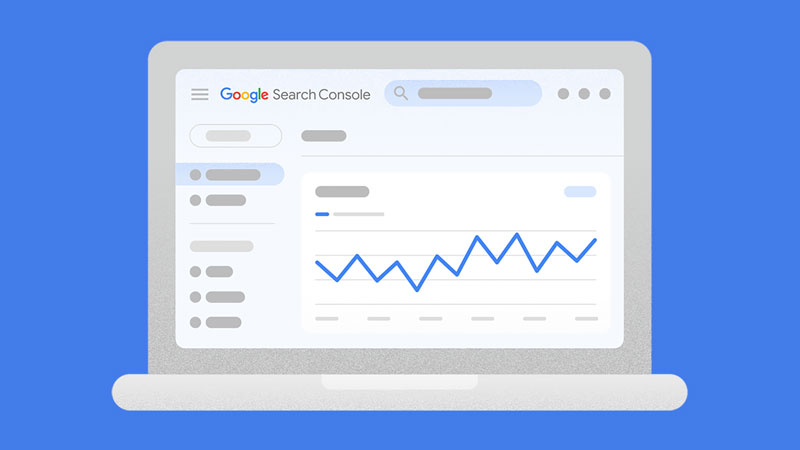
Google Search Console is a free website management and SEO platform developed by Google that helps website owners monitor, maintain, and optimize their presence in Google Search.
Previously known as Google Webmaster Tools, the platform has evolved into a comprehensive resource for understanding how Google’s search engine interacts with your website. It provides reports on search performance, indexing status, crawl activity, website experience, structured data, security issues, and much more.
Instead of guessing how your website performs in search results, Google Search Console gives you direct insights from Google itself. You can see which search queries bring visitors to your website, which pages receive the most impressions and clicks, and whether Google encounters any issues while crawling or indexing your content.
Because the data comes directly from Google, Search Console is considered one of the most reliable tools for measuring organic search performance.
Learn more about AI search performance report.
Why Google Search Console Is Important for SEO
Search engine optimization is about making your website easier for search engines to understand while providing users with valuable content. Google Search Console helps accomplish both goals by revealing how your website performs behind the scenes and how users discover your pages through search.
Some of the biggest benefits include:
- Monitoring your organic search performance using Google’s own data.
- Discovering which keywords generate impressions, clicks, and traffic.
- Identifying pages that have gained or lost visibility.
- Detecting indexing and crawling problems before they affect rankings.
- Submitting XML sitemaps to help Google discover new content.
- Requesting indexing after publishing or updating important pages.
- Monitoring Core Web Vitals and other page experience signals.
- Identifying internal linking opportunities.
- Reviewing structured data and rich result eligibility.
- Receiving alerts about security issues or manual actions.
Whether you’re publishing your first article or managing thousands of pages, Search Console provides actionable insights that support continuous SEO improvement.
Who Should Use Google Search Console?
Although the name suggests it’s designed for webmasters, Google Search Console benefits anyone responsible for a website’s growth and performance.
It is particularly valuable for:
- SEO professionals who monitor keyword visibility and technical SEO.
- Website owners who want to improve their Google rankings.
- Bloggers tracking article performance and search trends.
- Content marketers who identify high-performing pages and optimization opportunities.
- Digital marketing agencies that manage multiple client websites.
- E-commerce businesses that monitor product page indexing and visibility.
- Developers troubleshoot crawling, indexing, and structured data issues.
- Local businesses improve their presence in Google Search.
Even if you’re new to SEO, Google Search Console provides an excellent starting point for understanding how search engines interact with your website.
How Google Search Console Works
To understand the reports inside Google Search Console, it’s helpful to understand how Google processes websites.
The process generally follows four stages.
A. Crawling
Google uses automated programs known as Googlebot to discover pages across the web. These crawlers follow links, read XML sitemaps, and revisit existing pages to identify new or updated content.
If Google cannot crawl a page because of server errors, robots.txt restrictions, or other technical issues, the page may never appear in search results.
Learn more about Google Crawling.
B. Indexing
After crawling a page, Google evaluates its content to determine whether it should be added to the search index.
During indexing, Google analyzes important elements such as page content, metadata, canonical tags, structured data, internal links, and overall quality.
Pages that cannot be indexed due to technical issues, duplicate content, or low-value signals may be excluded from Google’s index.
Learn more about Google Indexing.
C. Ranking
Once indexed, Google determines where a page should appear for relevant search queries.
Rankings are influenced by hundreds of factors, including content quality, relevance, user experience, website authority, page speed, backlinks, and search intent.
Google Search Console does not directly improve rankings, but it provides the insights needed to identify opportunities for optimization.
D. Reporting
Finally, Google Search Console collects and presents valuable performance data, including impressions, clicks, average position, indexing status, and technical issues.
These reports help website owners understand what is working, identify problems, and make data-driven SEO improvements over time.
Google Search Console vs. Google Analytics
Although many people use these tools together, they serve different purposes.
| Google Search Console | Google Analytics |
|---|---|
| Shows how users find your website through Google Search. | Shows what users do after they arrive on your website. |
| Reports impressions, clicks, average position, and search queries. | Reports sessions, users, engagement, conversions, and revenue. |
| Focuses primarily on SEO performance. | Focuses on overall website traffic and user behavior. |
| Helps identify indexing, crawling, and technical SEO issues. | Helps measure marketing performance and business outcomes. |
| Uses data collected directly from Google Search. | Uses tracking tags installed on your website. |
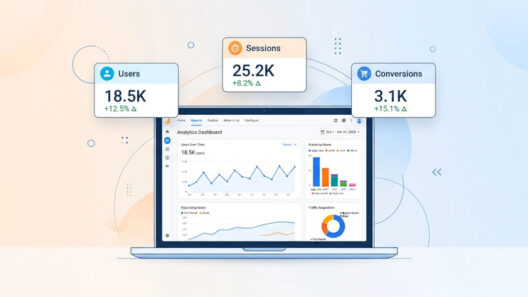
Together, these tools provide a complete picture of your website’s search visibility and visitor behavior.
For example, Google Search Console can show that a page receives thousands of impressions but has a low click-through rate. Google Analytics can then reveal whether visitors who click that page stay engaged, explore additional content, or convert into customers.
Using both platforms together allows you to optimize not only for higher search visibility but also for better user experience and business results.
Learn more about Google Analytics 4.
How to Set Up Google Search Console
Getting started with Google Search Console only takes a few minutes, but setting it up correctly ensures you receive accurate data about your website’s search performance.
1. Add Your Website as a Property
The first step is to add your website as a property in Google Search Console. A property represents the website or part of a website that you want to monitor.
Google offers two property types:
I. Domain Property
A Domain Property tracks every version of your website under a domain, including:
- HTTPS and HTTP
- www and non-www versions
- All subdomains
For example, adding ‘example.com’ as a Domain Property includes:
- https://example.com
- http://example.com
- https://www.example.com
- https://blog.example.com
This option provides the most complete view of your website and is recommended for most website owners.
II. URL Prefix Property
A URL Prefix Property only tracks the exact URL you enter.
For example, adding https://www.example.com will not automatically include:
- http://www.example.com
- https://example.com
- blog.example.com
This option is useful if you only want to monitor a specific section of a website.
2. Verify Website Ownership
Before Google shares search data, you must verify that you own or manage the website.
Depending on your property type, Google offers several verification methods.
I. DNS Record
Adding a TXT record to your domain’s DNS settings is the recommended verification method for Domain Properties. Once verified, it typically remains active even if your website changes.
II. HTML File Upload
Upload a verification file to your website’s root directory.
III. HTML Tag
Insert a verification meta tag into the <head> section of your homepage.
IV. Google Tag Manager
If your website already uses Google Tag Manager, you may be able to verify ownership without making additional changes.
V. Google Analytics
Some websites can also be verified using an existing Google Analytics installation.
After successful verification, Google begins collecting data for your property. If your website has already been indexed, historical search data may become available shortly.
Submit an XML Sitemap
An XML sitemap helps Google discover the important pages on your website more efficiently.
Although Google can often find pages through internal links, submitting a sitemap ensures that new and updated content is easier to discover.
Most modern content management systems automatically generate an XML sitemap.
Common sitemap URLs include:
- yourdomain.com/sitemap.xml
- yourdomain.com/sitemap_index.xml
To submit your sitemap:
- Open the ‘Sitemaps’ section in Google Search Console.
- Enter the sitemap URL.
- Click ‘Submit’.
- Monitor the sitemap status for any errors.
Whenever you publish new content, Google can revisit your sitemap to discover additional pages that should be crawled and indexed.
Understanding the Search Results Report
The Search Results report is the most frequently used section of Google Search Console. It provides detailed insights into how your website performs in Google Search and helps identify opportunities to improve organic visibility.
Instead of relying on estimated keyword rankings from third-party tools, this report shows actual performance data collected by Google.
The report includes four primary metrics.
1. Total Clicks
Clicks represent the number of times users selected your website from Google’s search results.
An increase in clicks generally indicates improved visibility, better rankings, more compelling titles and meta descriptions, or increased search demand.
Monitoring clicks over time helps you identify:
- Growing content
- Declining pages
- Seasonal trends
- Successful SEO campaigns
2. Total Impressions
An impression is recorded whenever one of your pages appears in Google’s search results, even if no one clicks it.
High impressions with low clicks often indicate that your pages are visible but not attracting enough attention.
This creates an opportunity to improve:
- Page titles
- Meta descriptions
- Search intent alignment
- Rich results
- Overall ranking position
3. Average Click-Through Rate (CTR)
CTR measures how often users click your page after seeing it in search results.
It is calculated using the following formula:
CTR = Clicks ÷ Impressions × 100
For example:
- 500 impressions
- 50 clicks
CTR = 10%
A low CTR does not always indicate poor performance. Pages ranking lower on the first page naturally receive fewer clicks than those in the top positions.
However, if a page has strong rankings but consistently low CTR, updating its title tag and meta description may encourage more users to visit.
4. Average Position
Average Position estimates where your highest-ranking result appears in Google Search for a particular query.
For example:
- Position 1 generally indicates the first organic result.
- Position 5 appears halfway down the first page.
- Position 12 usually appears on the second page.
Pages ranking between positions 8 and 20 often present excellent optimization opportunities. Improving content quality, strengthening internal links, refreshing outdated information, and enhancing search intent alignment can sometimes move these pages onto the first page of search results.
Using Search Filters to Find SEO Opportunities
One of the most valuable features of Google Search Console is the ability to filter performance data from different perspectives.
Instead of viewing all search data together, you can isolate specific trends and identify opportunities for improvement.
1. Search Queries
The Queries report shows the exact search terms users entered before discovering your website.
Reviewing these queries helps you:
- Identify high-performing keywords
- Discover new keyword opportunities
- Find pages ranking for unexpected search terms
- Expand existing content based on user intent
If a keyword generates many impressions but few clicks, consider improving your page title, meta description, or content to better match what users are searching for.
2. Pages
The Pages report displays how individual pages perform in search results.
This report helps answer questions such as:
- Which pages attract the most organic traffic?
- Which pages have declining visibility?
- Which pages need content updates?
- Which articles deserve additional internal links?
Regularly reviewing your top-performing pages allows you to keep valuable content current and competitive.
3. Countries
The Countries filter reveals where your visitors are located.
This information can support international SEO strategies by helping you identify markets where your content performs well or where additional localization may be beneficial.
4. Devices
Users search differently depending on whether they use desktop computers, smartphones, or tablets.
The Devices report breaks performance down by:
- Desktop
- Mobile
- Tablet
If mobile performance is significantly lower than desktop performance, review your site’s mobile usability, loading speed, navigation, and overall user experience.
5. Search Appearance
Some pages may appear with enhanced search features, such as rich results or other search enhancements.
The Search Appearance filter helps you understand how these enhanced listings contribute to impressions and clicks, making it easier to evaluate the effectiveness of structured data and other search enhancements.
Using the URL Inspection Tool
The URL Inspection tool allows you to examine how Google views a specific page on your website. Whether you’ve published a new article, updated existing content, or fixed a technical issue, this tool helps verify whether Google can crawl and index the page successfully.
Simply enter the full URL into the search bar at the top of Google Search Console to access detailed information about that page.
The report includes valuable details such as:
- Whether the page is indexed
- The last crawl date
- The canonical URL selected by Google
- Crawl and indexing status
- Mobile usability
- Structured data detected on the page
If a page has not yet been indexed after being published or updated, you can use the ‘Request Indexing’ feature. Google will place the page in its crawling queue, although this does not guarantee immediate indexing or higher rankings.
The URL Inspection tool is especially useful after making significant content updates, fixing technical SEO issues, or publishing new pages.
Understanding the Page Indexing Report
The Page Indexing report shows which pages Google has indexed and highlights any issues preventing pages from appearing in search results.
Monitoring this report regularly helps ensure your most important content remains discoverable.
Some common indexing statuses include:
1. Indexed
These pages are successfully indexed and can appear in Google Search.
2. Crawled, Currently Not Indexed
Google has visited the page but decided not to include it in the search index.
Possible reasons include:
- Thin or low-value content
- Duplicate information
- Weak internal linking
- Limited perceived value compared to similar pages
Improving content quality and strengthening internal links often increases the likelihood of indexing.
3. Discovered, Currently Not Indexed
Google knows the page exists but has not yet crawled it.
This may occur when:
- Large numbers of pages are published at once
- Crawl budget is limited
- Internal linking is insufficient
4. Duplicate Pages
Google may ignore pages it believes duplicate existing content.
Review canonical tags and ensure each important page offers unique value.
5. Excluded by Noindex
Pages containing a ‘noindex’ directive are intentionally excluded from Google’s index.
Verify that the tag has been applied only to pages you do not want appearing in search results.
Monitoring Core Web Vitals
Core Web Vitals measure key aspects of user experience that influence how visitors interact with your website.
Google evaluates three primary metrics:
1. Largest Contentful Paint (LCP)
Measures how quickly the main content loads.
A good user experience typically requires an LCP of 2.5 seconds or less.
Learn more about the Largest Contentful Paint (LCP).
2. Interaction to Next Paint (INP)
Measures how responsive your website is when users interact with it.
Lower interaction times generally create a smoother browsing experience.
Learn more about Interaction to Next Paint (INP).
3. Cumulative Layout Shift (CLS)
Measures visual stability while the page loads.
Unexpected movement of buttons, images, or text can frustrate users and negatively affect usability.
Improving Core Web Vitals benefits both user experience and overall website quality, even though they represent only one part of Google’s ranking systems.
Learn more about Cumulative Layout Shift (CLS).
Reviewing Your Internal and External Links
The Links report provides valuable insights into how pages connect both within your website and across the web.
1. Internal Links
Internal links help Google understand your website’s structure and the relationship between pages.
Reviewing this report can help you:
- Identify important pages receiving few internal links
- Strengthen topic clusters
- Improve crawlability
- Distribute authority across your website
A well-planned internal linking strategy also makes it easier for visitors to discover related content.
Learn more about Internal Linking for SEO.
2. External Links
The report also shows websites linking to your content.
Although Google Search Console is not a comprehensive backlink analysis tool, it provides a useful overview of:
- Top linked pages
- External websites linking to your content
- Frequently used anchor text
For deeper backlink analysis, many SEO professionals combine Search Console with specialized SEO tools.
Learn more about Off-page SEO.
Rich Results and Search Enhancements
Structured data helps Google better understand your content and may make your pages eligible for enhanced search results.
Depending on your website, Search Console may include reports for:
- Breadcrumbs
- Products
- FAQs
- Videos
- Recipes
- Events
- Merchant listings
- Other supported structured data types
These reports identify implementation issues and help ensure your structured data follows Google’s guidelines.
While structured data does not guarantee rich results, it increases your content’s eligibility for enhanced search features.
Learn more about Google Schema Markup for SEO.
Security Issues and Manual Actions
Google Search Console also monitors your website for problems that could affect visibility or user trust.
1. Security Issues
If Google detects malware, hacked content, deceptive pages, or other security concerns, you’ll receive an alert in Search Console.
Address these issues promptly to protect visitors and restore confidence in your website.
2. Manual Actions
A manual action occurs when Google’s review team determines that part or all of your website violates Google’s Search Essentials.
Examples include:
- Unnatural links
- Spam content
- Cloaking
- Hidden text
- User-generated spam
If a manual action is applied, Search Console explains the issue and guides submitting a reconsideration request after the problem has been resolved.
Best Practices for Using Google Search Console
Checking Search Console occasionally is helpful, but making it part of your regular SEO workflow delivers far greater value.
Consider these best practices:
- Review search performance regularly to identify emerging trends.
- Monitor pages that gain or lose significant visibility.
- Submit updated XML sitemaps after major website changes.
- Investigate indexing issues before they affect important content.
- Improve pages with high impressions but low click-through rates.
- Refresh content that gradually loses rankings.
- Strengthen internal links to important pages.
- Monitor Core Web Vitals after design or performance updates.
- Review structured data reports after implementing schema markup.
- Use Search Console data alongside analytics and other SEO tools for a more complete understanding of website performance.
Consistent monitoring allows you to identify problems early and make improvements before they impact organic traffic.
Common Mistakes to Avoid
Many website owners install Google Search Console but fail to use it effectively.
Avoid these common mistakes:
- Ignoring indexing errors for important pages.
- Focusing only on clicks instead of impressions and average position.
- Neglecting pages that rank just outside the first page of search results.
- Forgetting to submit an updated sitemap after major site changes.
- Overlooking mobile usability and page experience issues.
- Assuming every page should be indexed without evaluating its quality.
- Relying solely on third-party SEO tools instead of Google’s own data.
Using Search Console as an ongoing optimization tool rather than a troubleshooting tool helps maintain long-term search performance.
Final Thoughts
Google Search Console is far more than a reporting dashboard. It is an essential SEO platform that provides direct insights into how Google crawls, indexes, and ranks your website.
By understanding search performance, monitoring indexing status, identifying technical issues, and improving user experience, you can make informed decisions that strengthen your website’s visibility in organic search.
Whether you’re publishing your first blog post or managing a large website with thousands of pages, Google Search Console provides the information needed to measure progress, uncover new opportunities, and support long-term SEO success.
While no single tool can guarantee higher rankings, regularly using Google Search Console alongside a well-planned SEO strategy helps ensure your website remains accessible, optimized, and prepared for changes in Google’s search landscape.