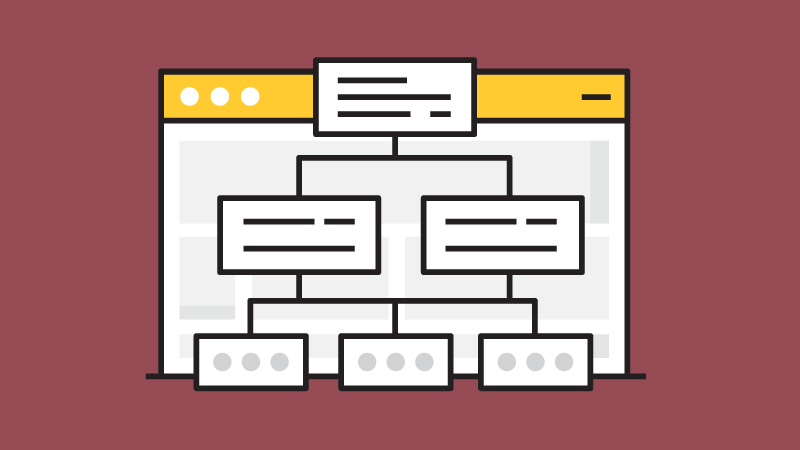

Helping search engines discover and understand your website is one of the foundations of technical SEO. While internal linking plays a major role in guiding crawlers, an XML sitemap provides a clear roadmap of your website’s most important pages, making it easier for search engines to find and crawl your content.
For small websites with strong internal linking, search engines can often discover pages naturally. However, for larger websites, newly launched sites, E-commerce stores, and websites with frequently updated content, an XML sitemap becomes an invaluable tool for improving crawl efficiency.
Although an XML sitemap doesn’t directly improve rankings, it helps search engines discover new and updated content more efficiently, increasing the likelihood that important pages are crawled and indexed promptly.
In this guide, you’ll learn what an XML sitemap is, how sitemap.xml works, how to create one, SEO best practices, common mistakes to avoid, and how to submit your sitemap to Google.
What Is an XML Sitemap?
An XML sitemap is a machine-readable file that lists the important URLs on your website. It helps search engines understand your website’s structure and discover pages that should be crawled and indexed.
The sitemap is written in XML (Extensible Markup Language), which provides search engines with structured information about your URLs.
Most websites publish their sitemap at:
https://www.example.com/sitemap.xmlWhen Google or other search engines visit your website, they can use this file as a guide to identify important pages, monitor updates, and improve crawling efficiency.
Why Is an XML Sitemap Important for SEO?
An XML sitemap is not a ranking factor, but it supports several important technical SEO processes.
1. Helps Search Engines Discover New Pages
Whenever you publish new content, search engines need to find it before it can appear in search results.
Submitting an XML sitemap gives Google another way to discover new pages without relying solely on internal links.
This is especially helpful for:
- Newly launched websites
- Recently published blog posts
- New product pages
- Large websites with thousands of URLs
2. Improves Crawl Efficiency
Search engines have limited resources available for crawling every website.
An XML sitemap helps prioritize the URLs you consider most important, making crawling more efficient.
This becomes increasingly valuable for:
- Large websites
- E-commerce stores
- News websites
- Frequently updated blogs
3. Supports Better Indexing
Although an XML sitemap doesn’t guarantee indexing, it improves the chances that search engines will discover pages that might otherwise be difficult to find.
For example, pages with few internal links or recently updated content are often discovered more quickly through an XML sitemap.
4. Provides Website Structure Information
A sitemap helps search engines understand how your content is organized.
Combined with strong internal linking and a logical site architecture, it contributes to a healthier technical SEO foundation.
Do All Websites Need an XML Sitemap?
Not necessarily.
Google states that many small websites with excellent internal linking can be crawled successfully without one.
However, an XML sitemap is strongly recommended if your website:
- Contains hundreds or thousands of pages
- Publishes content regularly
- Has orphan pages with limited internal links
- Includes videos or images that you want indexed
- Is newly launched
- Has a complex website structure
Since creating an XML sitemap is simple and offers several SEO benefits, most websites should have one.
How Does an XML Sitemap Work?
An XML sitemap contains a list of URLs that you want search engines to crawl.
When Googlebot discovers your sitemap, it reads each listed URL and determines when and how frequently it should revisit those pages.
The sitemap acts as a guide rather than a command.
Google ultimately decides:
- Which pages to crawl
- Which pages to index
- How often pages are revisited
Because of this, including a page in your sitemap does not guarantee that it will appear in Google Search.
Basic XML Sitemap Structure
Every XML sitemap follows a standardized format.
A simple example looks like this:
<?xml version="1.0" encoding="UTF-8"?>

<urlset xmlns="http://www.sitemaps.org/schemas/sitemap/0.9">

  <url>
    <loc>https://www.example.com/</loc>
    <lastmod>2026-07-01</lastmod>
  </url>

  <url>
    <loc>https://www.example.com/blog/technical-seo/</loc>
    <lastmod>2026-07-10</lastmod>
  </url>

</urlset>
Each <url> entry represents one page that you want search engines to discover.
The only required element is the page URL itself.
Understanding XML Sitemap Elements
The most common XML sitemap elements include:
1. <loc>
The <loc> tag specifies the page URL.
This is the only required element for every URL entry.
2. <lastmod>
The <lastmod> tag indicates when the page was last significantly updated.
Keeping this information accurate helps search engines better understand content freshness.
3. <changefreq>
The <changefreq> tag suggests how often a page changes.
Possible values include:
- daily
- weekly
- monthly
- yearly
Although still part of the XML Sitemap protocol, Google places little to no weight on this value today.
4. <priority>
The <priority> tag allows values between 0.0 and 1.0 to indicate a page’s relative importance within your website.
However, Google has stated that it generally ignores priority values when determining crawl behavior.
For most websites, accurately maintaining the <loc> and <lastmod> elements is considerably more valuable than relying on priority or change frequency.
How to Create an XML Sitemap
Creating an XML sitemap is easier than many website owners think. Most modern content management systems and SEO tools can generate one automatically.
The process generally involves four steps:
- Generate the sitemap
- Verify that it includes only important URLs
- Upload or publish the sitemap
- Submit it to Google Search Console
Let’s look at each step in more detail.
1. Choose an XML Sitemap Generator
There are many tools available for creating an XML sitemap.
Popular options include:
- Built-in CMS sitemap generators
- WordPress SEO plugins
- Screaming Frog SEO Spider
- Online XML sitemap generators
The right tool depends on the size and complexity of your website.
2. Include Only Important URLs
Your sitemap should contain pages that you want search engines to crawl and index.
Examples include:
- Homepage
- Service pages
- Product pages
- Category pages
- Blog posts
- Landing pages
Avoid including:
- Duplicate pages
- Parameter URLs
- Admin pages
- Thank-you pages
- Login pages
- Pages blocked by robots.txt
- Pages marked as noindex
Keeping your sitemap clean helps search engines focus on your most valuable content.
3. Publish the Sitemap
Once generated, your sitemap is usually available at:
https://www.example.com/sitemap.xmlSome websites use a sitemap index instead:
https://www.example.com/sitemap_index.xmlThis is common for larger websites that maintain separate sitemaps for posts, pages, categories, images, or products.
4. Submit Your Sitemap to Google
Although Google can often discover your sitemap automatically, submitting it manually is recommended.
To submit your sitemap:
- Open Google Search Console
- Select your property
- Navigate to Sitemaps
- Enter your sitemap URL
- Click Submit
Google will then begin processing your sitemap and report any issues it detects.
XML Sitemap in WordPress
If your website uses WordPress, creating an XML sitemap usually requires little or no manual work.
Since WordPress 5.5, the platform includes a built-in XML sitemap feature.
Many website owners also choose SEO plugins that automatically generate and maintain sitemaps.
Advantages include:
- Automatic updates
- New pages added automatically
- Deleted pages removed
- Separate sitemaps for posts, pages, categories, and taxonomies
This makes WordPress one of the easiest platforms for maintaining an up-to-date sitemap.
Yoast XML Sitemap Example
One of the most popular WordPress SEO plugins automatically generates XML sitemaps.
A typical sitemap index may look similar to:
https://www.example.com/sitemap_index.xmlWithin that index, you may find separate sitemaps such as:
- post-sitemap.xml
- page-sitemap.xml
- category-sitemap.xml
- author-sitemap.xml
This organization helps search engines crawl different sections of your website more efficiently.
Most website owners won’t need to edit these files manually because they’re updated automatically whenever content changes.
Google XML Sitemaps
Google supports the XML Sitemap protocol and recommends using sitemaps for websites where they improve URL discovery.
A sitemap helps Google:
- Discover new pages
- Identify recently updated content
- Crawl large websites more efficiently
- Understand your website structure
However, submitting a sitemap does not guarantee that every page will be indexed.
Google still evaluates each page based on factors such as:
- Content quality
- Internal linking
- Crawlability
- Canonicalization
- Overall website quality
Think of your sitemap as a recommendation rather than a command.
XML Sitemap Index Files
Large websites often exceed the limit for a single sitemap.
Google allows:
- Up to 50,000 URLs per sitemap.
- A maximum uncompressed size of 50 MB.
When those limits are exceeded, multiple sitemaps are organized using a sitemap index.
For example:
sitemap_index.xml

├── page-sitemap.xml
├── post-sitemap.xml
├── product-sitemap.xml
├── category-sitemap.xml
└── image-sitemap.xml
This approach improves scalability while keeping sitemap files manageable.
Specialized XML Sitemaps
Depending on your website, you may benefit from specialized sitemap types.
1. Image Sitemap
Image sitemaps help search engines discover important images that may not be easily found through normal crawling.
They’re especially useful for:
- Photography websites
- E-commerce stores
- Portfolio websites
2. Video Sitemap
Video sitemaps provide additional metadata about videos, helping search engines understand and index video content.
Useful information includes:
- Video title
- Description
- Thumbnail
- Duration
- Publication date
3. News Sitemap
News publishers can create dedicated News Sitemaps for recently published articles.
These are commonly used by websites participating in Google News.
XML Sitemap Best Practices
Following best practices helps search engines crawl your website more efficiently.
1. Include Only Canonical URLs
Every URL in your sitemap should be the preferred version of the page.
Avoid listing:
- Duplicate URLs
- Redirected pages
- Parameter URLs
- Alternate versions
Canonical URLs provide clear indexing signals.
2. Keep the Sitemap Updated
Whenever content is:
- Published
- Updated
- Deleted
Your sitemap should reflect those changes.
Automatic sitemap generation makes this much easier.
3. Use Accurate Last Modified Dates
Only update the <lastmod> value when meaningful changes occur.
Changing the date every day without updating the content provides little value and may reduce trust in the metadata.
4. Exclude Low-Value Pages
Avoid including pages that don’t provide value in search results.
Examples include:
- Search result pages
- Login pages
- Shopping cart pages
- Thank-you pages
- Duplicate pages
A focused sitemap is more useful than an oversized one.
5. Keep Your Internal Linking Strong
An XML sitemap complements good internal linking but doesn’t replace it.
Search engines rely heavily on internal links to understand your website hierarchy and discover content naturally.
The strongest websites combine both approaches.
Common XML Sitemap Mistakes to Avoid
Even though XML sitemaps are relatively simple, improper implementation can reduce their effectiveness or send mixed signals to search engines.
Here are some of the most common mistakes to avoid.
1. Including Non-Canonical URLs
Your sitemap should only include the preferred (canonical) version of each page.
Avoid listing:
- Duplicate URLs
- HTTP versions of pages
- Parameter URLs
- Session IDs
- Printer-friendly pages
Every URL in your sitemap should be the version you want search engines to index.
2. Including Redirected URLs
Redirected pages don’t belong in your sitemap.
Instead of:
Old URL → 301 → New URLOnly include the final destination URL.
This helps search engines crawl your website more efficiently.
3. Including Noindex Pages
Pages marked with the noindex directive shouldn’t appear in your XML sitemap.
Doing so sends conflicting signals:
- The sitemap says, “Please crawl and index this page.”
- The noindex directive says, “Don’t index this page.”
Keeping your sitemap aligned with your indexing strategy improves crawl efficiency.
4. Forgetting to Update the Sitemap
If your sitemap isn’t updated after publishing new content, search engines may take longer to discover important pages.
Likewise, deleted pages should be removed to prevent unnecessary crawl errors.
5. Listing 404 or Broken URLs
Before submitting your sitemap, verify that every URL returns a 200 (OK) status code.
Avoid including:
- 404 pages
- Soft 404s
- Redirect chains
- Server errors
A clean sitemap helps search engines focus on valuable content.
How to Check Your XML Sitemap
Regularly reviewing your sitemap ensures that search engines can access and process it correctly.
1. View the Sitemap
Open your browser and visit:
https://www.example.com/sitemap.xmlor
https://www.example.com/sitemap_index.xmlVerify that:
- The sitemap loads successfully.
- URLs are formatted correctly.
- Only important pages are included.
2. Use Google Search Console
After submitting your sitemap, Google Search Console reports:
- Successfully discovered URLs
- Processing errors
- Crawl issues
- Sitemap status
Checking this report regularly helps identify technical SEO issues before they affect your site’s visibility.
3. Crawl Your Website
SEO auditing tools such as Screaming Frog SEO Spider can compare your website against your XML sitemap to identify:
- Missing URLs
- Orphan pages
- Redirects
- Broken links
- Non-canonical URLs
- Pages excluded from the sitemap
Routine audits help keep your sitemap accurate as your website evolves.
XML Sitemap vs. HTML Sitemap
Although they share a similar name, XML and HTML sitemaps serve different purposes.
| XML Sitemap | HTML Sitemap |
|---|---|
| Designed primarily for search engines. | Designed primarily for website visitors. |
| Uses XML format. | Uses standard HTML. |
| Lists important URLs for crawling and indexing. | Helps users navigate your website. |
| Submitted through Google Search Console. | Accessible as a regular webpage. |
Many modern websites no longer require an HTML sitemap because navigation menus and internal linking have improved significantly.
However, XML sitemaps remain an important part of technical SEO.
Learn in depth about XML Sitemap vs HTML Sitemap.
XML Sitemap vs. Robots.txt
XML sitemaps and robots.txt work together but serve different purposes.
| XML Sitemap | Robots.txt |
|---|---|
| Helps search engines discover important pages. | Tells search engines which areas they should avoid crawling. |
| Encourages crawling. | Restricts crawling. |
| List the pages you want indexed. | Controls crawler access to files and directories. |
Think of them as complementary tools:
- XML Sitemap: “These are my important pages.”
- Robots.txt: “These areas don’t need to be crawled.”
Using both correctly creates a more efficient crawling strategy.
Final Thought
An XML sitemap is one of the simplest yet most valuable technical SEO tools available. While it doesn’t directly improve rankings, it helps search engines discover, crawl, and understand your website more efficiently, especially as your content grows.
The most effective XML sitemaps contain only canonical, indexable URLs and are kept up to date whenever your website changes. Combined with strong internal linking, a well-configured robots.txt file, and a logical site structure, an XML sitemap supports a healthier crawling and indexing process.
Remember that an XML sitemap is a guide rather than a guarantee. Google ultimately decides which pages to crawl and index based on many factors, including content quality, internal links, and overall website health. By following XML sitemap best practices and monitoring your sitemap through Google Search Console, you can improve your website’s technical foundation and make it easier for search engines to discover your most valuable content.