
A well-structured website should make it easy for both visitors and search engines to find important content. While navigation menus and internal links play a significant role in guiding users, an HTML sitemap provides an additional layer of organization by listing key pages in one easy-to-access location.
Unlike an XML sitemap, which is designed primarily for search engines, an HTML sitemap is created for people. It serves as a table of contents for your website, helping visitors quickly locate pages while also giving search engines another pathway to discover your content through internal links.
Although HTML sitemaps are less common than they once were, they remain valuable for websites with extensive content, complex structures, or large knowledge bases. When implemented correctly, they can improve user experience, strengthen internal linking, and support your overall SEO strategy.
In this guide, you’ll learn what an HTML sitemap is, how it differs from an XML sitemap, when you should use one, how to create it, and the best practices for maximizing its SEO value.
What Is an HTML Sitemap?
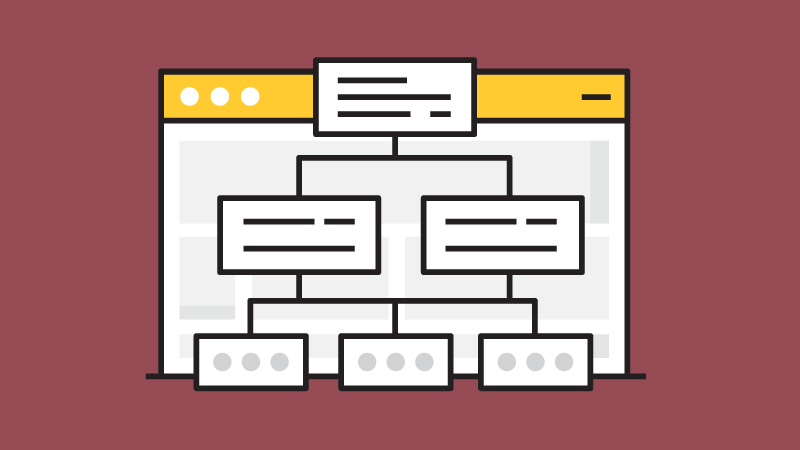
An HTML sitemap is a webpage that lists the important pages of your website in a clear, organized structure.
Instead of being created for search engine crawlers, an HTML sitemap is designed to help visitors navigate your website more efficiently. It usually groups content into logical categories, allowing users to quickly find pages that may not be easily accessible through the main navigation.
For example, an HTML sitemap may include links to:
- Main service pages
- Product categories
- Knowledgebase articles
- Blog posts
- Contact pages
- Resource pages
Most websites place a link to their HTML sitemap in the website footer, making it accessible from every page.
HTML Sitemap vs. XML Sitemap
Although they share a similar name, HTML and XML sitemaps serve different purposes.
| HTML Sitemap | XML Sitemap |
|---|---|
| Designed primarily for website visitors. | Designed primarily for search engines. |
| Uses standard HTML. | Uses XML format. |
| Helps users navigate the website. | Helps search engines discover important URLs. |
| Supports internal linking. | Supports crawling and indexing. |
| Accessible as a normal webpage. | Usually submitted through Google Search Console. |
Rather than replacing each other, HTML and XML sitemaps complement one another as part of a well-structured website.
Learn in depth about XML Sitemap vs HTML Sitemap.
Why Is an HTML Sitemap Important?
Modern websites often rely on navigation menus, search functionality, and internal links to help users find content. However, an HTML sitemap can still provide value by offering a centralized overview of your website.
This is especially useful for websites with:
- Hundreds of pages
- Large knowledge bases
- Extensive documentation
- E-commerce product catalogs
- Educational resources
- Government or organizational websites
For smaller websites with only a few pages and a simple navigation structure, an HTML sitemap may offer limited additional benefit.
How Does an HTML Sitemap Help SEO?
An HTML sitemap isn’t a direct Google ranking factor.
However, it can indirectly support your SEO efforts in several ways.
1. Improves User Experience
A clear sitemap helps visitors locate important information without navigating through multiple menus.
When users can quickly find what they’re looking for, they’re more likely to remain engaged with your website.
A positive user experience contributes to an overall healthy website and supports long-term SEO success.
2. Strengthens Internal Linking
Every page listed in an HTML sitemap becomes part of your internal linking structure.
These additional internal links help search engines better understand your website hierarchy and improve the discoverability of important pages.
While an HTML sitemap shouldn’t replace a strong internal linking strategy, it can reinforce one.
3. Supports Content Discovery
On large websites, some pages may be buried several clicks deep.
An HTML sitemap provides another pathway for both users and search engines to discover valuable content that might otherwise receive less visibility.
4. Helps Organize Large Websites
As your website grows, maintaining a logical structure becomes increasingly important.
An HTML sitemap provides visitors with a complete overview of your site’s organization, making it easier to browse categories, locate resources, and understand how content is connected.
When Should You Use an HTML Sitemap?
Not every website requires an HTML sitemap.
However, it can be particularly useful if your website:
- Contains hundreds or thousands of pages
- Publishes content regularly
- Includes a large blog or knowledgebase
- Has extensive product or service categories
- Features documentation or learning resources
- Has pages located several clicks away from the homepage.
For example, a website like SEO FOR TODAY benefits from an HTML sitemap because it organizes Knowledgebase articles, blog posts, and educational resources into a single page that’s easy for visitors to browse.
What Should an HTML Sitemap Include?
An effective HTML sitemap focuses on your website’s most important content.
Common sections include:
- Homepage
- Main category pages
- Service pages
- Product categories
- Blog categories
- Knowledgebase sections
- Popular resources
- Contact page
Rather than listing every URL on your website, organize pages into logical groups that make navigation simple and intuitive.
The goal is to help visitors find information quickly while supporting a clear website structure.
HTML Sitemap Example
A simple HTML sitemap might look like this:
Home

├── Services
│   ├── SEO Services
│   ├── Technical SEO
│   └── Local SEO
│
├── Knowledgebase
│   ├── On-Page SEO
│   ├── Technical SEO
│   ├── Core Web Vitals
│   └── XML Sitemap
│
├── Blog
│   ├── Latest Articles
│   └── SEO News
│
└── Contact
The actual design may vary, but the objective remains the same: provide visitors with a clear overview of your website’s structure while making important content easy to access.
How to Create an HTML Sitemap
Unlike an XML sitemap, which is often generated automatically for search engines, an HTML sitemap is created specifically for website visitors. The goal is to organize your most important pages into a clear, easy-to-navigate structure.
Creating an HTML sitemap doesn’t require advanced technical knowledge. By following a few simple steps, you can build a sitemap that improves both user experience and your website’s internal linking.
1. Plan Your Website Structure
Before creating an HTML sitemap, review your website’s architecture.
Group related pages into logical categories such as:
- Services
- Products
- Blog
- Knowledgebase
- Resources
- About
- Contact
A well-organized structure helps visitors quickly understand your website and locate the information they need.
2. Select the Pages to Include
Your HTML sitemap should highlight your most valuable pages rather than every URL on your website.
Good candidates include:
- Homepage
- Category pages
- Service pages
- Product pages
- Popular blog posts
- Knowledgebase articles
- Resource pages
- Contact page
Avoid including:
- Login pages
- Shopping cart pages
- Thank-you pages
- Duplicate pages
- Filtered URLs
- Pages marked as noindex
Keeping the sitemap focused makes it more useful for visitors.
3. Organize Content into Categories
Large lists of links can quickly become overwhelming.
Instead, organize pages using headings and subcategories.
For example:
SEO

• Technical SEO
• On-Page SEO
• Off-Page SEO

Knowledgebase

• Canonical Tag
• Robots.txt
• XML Sitemap
• Core Web Vitals

Blog

• Latest Articles
• SEO Tips
• Case Studies
This structure is easier for both visitors and search engines to understand.
4. Add Internal Links
Each item in your HTML sitemap should link directly to the corresponding page.
Use descriptive anchor text instead of generic labels like:
- Click Here
- Learn More
- Read This
Clear anchor text improves usability and provides additional context for search engines.
Learn more about Internal Linking.
5. Publish the Sitemap
Most websites place a link to the HTML sitemap in the footer so it’s accessible from every page.
Some websites also include it within their Help Center or Resources section.
Choose a location that’s easy for users to find without cluttering your primary navigation.
HTML Sitemap Example
A simple HTML sitemap might look like this:
Home

Services
• SEO Services
• Technical SEO
• Local SEO

Knowledgebase
• Robots.txt
• XML Sitemap
• Canonical Tag
• Core Web Vitals

Blog
• Latest Articles
• SEO Guides

Company
• About
• Contact
As your website grows, additional categories can be added while maintaining a clean and organized structure.
HTML Sitemap Makers
If you don’t want to build an HTML sitemap manually, several tools and content management systems can generate one automatically.
Popular options include:
- WordPress plugins
- Website builders
- Dedicated sitemap generators
- Custom CMS features
Many of these solutions automatically update the sitemap whenever new pages are published.
For large websites, automatic generation helps ensure the sitemap stays current without requiring manual updates.
Creating an HTML Sitemap in WordPress
WordPress offers several ways to create an HTML sitemap.
Many SEO and sitemap plugins provide built-in HTML sitemap functionality or allow you to display one using a shortcode or widget.
Depending on the plugin, you can customize:
- Which post types appear
- Categories to include
- Excluded pages
- Sort order
- Display style
If your theme supports custom page templates, you can also create a dedicated HTML sitemap page manually.
HTML Sitemap Best Practices
Following a few best practices will make your HTML sitemap more useful for visitors and easier to maintain.
1. Keep the Structure Simple
Visitors should be able to understand your sitemap at a glance.
Organize content into logical sections and avoid unnecessary complexity.
2. Prioritize Important Pages
Include pages that provide value to users.
If a page isn’t useful for visitors or shouldn’t appear in search results, it probably doesn’t belong in your HTML sitemap.
3. Use Clear Anchor Text
Each link should clearly describe the destination page.
For example:
is much more informative than generic phrases like “Read More.”
4. Make It Easy to Scan
Break content into sections using headings, lists, and whitespace.
Visitors should be able to locate information quickly without reading through hundreds of links.
5. Keep the Sitemap Updated
Whenever you publish new content, remove outdated pages, or reorganize your website, update the HTML sitemap accordingly.
An outdated sitemap reduces its usefulness and may frustrate visitors.
6. Ensure Mobile Friendliness
Many users browse websites from smartphones and tablets.
Your HTML sitemap should be responsive, easy to read, and simple to navigate across all screen sizes.
Learn more about Mobile SEO.
Where Should an HTML Sitemap Be Placed?
The most common location is the website footer.
This allows visitors to access the sitemap from any page without affecting your primary navigation.
Depending on your website, you may also include links within:
- Help Center
- Resource Center
- Knowledgebase
- Support pages
The key is making the sitemap easy to find while keeping your navigation clean and organized.
Does Every Website Need an HTML Sitemap?
Not necessarily.
Modern websites often have excellent navigation menus, search functionality, breadcrumbs, and strong internal linking.
For small websites with only a handful of pages, an HTML sitemap may provide little additional value.
However, websites with extensive content often benefit from having one because it offers visitors another convenient way to browse information while reinforcing the site’s internal linking structure.
Common HTML Sitemap Mistakes to Avoid
Although HTML sitemaps are relatively simple to create, a poorly designed sitemap can reduce its usefulness for both visitors and search engines.
Here are some of the most common mistakes to avoid.
1. Listing Every URL on Your Website
An HTML sitemap isn’t meant to be a complete database of every page.
Avoid including:
- Login pages
- Shopping cart pages
- Thank-you pages
- Search result pages
- Tag archives
- Parameter URLs
- Duplicate pages
Instead, focus on pages that provide value and help users navigate your website.
2. Poor Organization
A long page filled with hundreds of random links is difficult to use.
Instead, organize pages into logical categories with clear headings so visitors can quickly find what they’re looking for.
3. Forgetting to Update the Sitemap
As your website grows, your HTML sitemap should grow with it.
Whenever you:
- Publish new content
- Remove pages
- Rename URLs
- Reorganize categories
Make sure your sitemap reflects those changes.
An outdated sitemap creates a poor user experience.
4. Using Generic Anchor Text
Avoid links such as:
- Click Here
- Read More
- Learn More
Instead, use descriptive anchor text like:
This improves usability while providing additional context for search engines.
5. Making the Sitemap Difficult to Find
An HTML sitemap should be easily accessible.
Most websites place a link in the footer so visitors can reach it from any page.
If users can’t find the sitemap, its value is greatly reduced.
HTML Sitemap vs. Navigation Menu
Some people wonder whether an HTML sitemap replaces the main navigation menu.
The answer is no.
Both serve different purposes.
| Navigation Menu | HTML Sitemap |
|---|---|
| Helps users navigate primary pages. | Provides a complete overview of important website content. |
| Appears on every page. | Usually exists on a dedicated page. |
| Displays a limited number of links. | Can include a much broader list of organized pages. |
| Focuses on user journeys. | Focuses on discoverability and site structure. |
A well-designed website often benefits from both.
The navigation menu guides everyday browsing, while the HTML sitemap acts as a comprehensive directory for visitors who want a broader overview of the website.
Final Thought
Although HTML sitemaps aren’t as essential as XML sitemaps for search engine crawling, they remain a valuable tool for improving website organization and user experience. By providing visitors with a clear overview of your content, an HTML sitemap makes it easier to discover important pages while strengthening your website’s internal linking structure.
For websites with extensive blogs, knowledgebases, documentation, or large product catalogs, an HTML sitemap can complement your navigation and support better content discovery. Combined with an XML sitemap, logical site architecture, and strong internal linking, it contributes to a well-structured website that’s easier for both users and search engines to navigate.
As your website grows, keep your HTML sitemap organized, up to date, and focused on your most valuable content. While it won’t directly improve rankings, it helps build a better browsing experience, and that’s an important part of long-term SEO success.