
Technical SEO is the foundation of every successful SEO strategy. You can publish exceptional content and earn authoritative backlinks, but if search engines struggle to crawl, understand, or index your website, your rankings will always be limited.
Unlike content optimization or link building, technical SEO focuses on improving your website’s infrastructure. It ensures that search engines can efficiently access your pages while visitors enjoy a fast, secure, and seamless browsing experience.
Whether you’re managing a small business website, an eCommerce store, or a large content platform, investing in technical optimization helps create a stronger foundation for sustainable organic growth.
In this guide, you’ll learn what technical SEO is, why it matters, and the essential technical optimization practices that improve your website’s performance in search results.
What Is Technical SEO?
Technical SEO is the process of optimizing a website’s technical infrastructure to help search engines crawl, understand, index, and rank its pages more efficiently.
Rather than focusing on the content itself, technical SEO improves the systems that support your website. It ensures your pages are accessible, load quickly, remain secure, and provide a positive experience across all devices.
Technical SEO commonly includes:
- Crawlability
- Indexability
- Website speed
- Core Web Vitals
- Mobile usability
- Website architecture
- XML sitemaps
- Robots.txt configuration
- Canonical tags
- Structured data
- HTTPS implementation
- Internal linking
- Website security
When these elements work together, search engines can process your website more efficiently, making it easier for your content to compete in search results.
Technical SEO vs. On-Page SEO vs. Off-Page SEO
Although all three are essential, they focus on different aspects of SEO.
| SEO Type | Primary Focus |
|---|---|
| Technical SEO | Website infrastructure, crawlability, indexability, speed, and security |
| On-Page SEO | Content quality, keyword optimization, headings, and internal content structure |
| Off-Page SEO | Backlinks, authority, brand mentions, and online reputation |
Think of technical SEO as the foundation of a house. Without a strong foundation, even the best content and backlink strategy cannot reach their full potential.
Technical SEO directly affects how search engines discover and evaluate your website.
Why Technical SEO Matters
A technically optimized website can help:
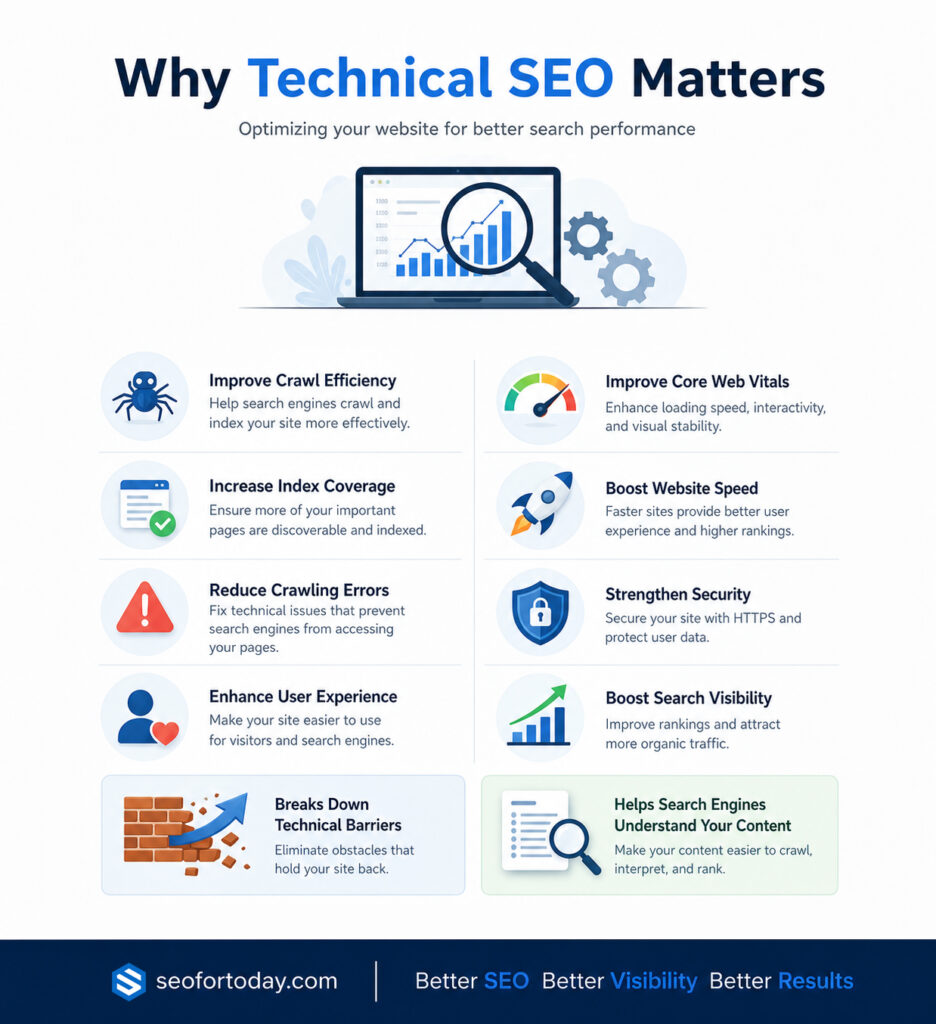
- Improve crawl efficiency
- Increase index coverage
- Reduce crawling errors
- Enhance user experience
- Improve Core Web Vitals
- Increase website speed
- Strengthen website security
- Support higher search visibility
- Help search engines understand your content more accurately
While technical SEO alone won’t guarantee top rankings, it removes technical barriers that may prevent your content from performing well.
Key Components of Technical SEO
1. Improve Crawlability
Search engines use crawlers to discover pages across your website. If important pages cannot be crawled, they cannot appear in search results.
Improving crawlability includes:
- Creating a logical website structure
- Maintaining an XML sitemap
- Optimizing internal linking
- Removing broken links
- Fixing redirect issues
- Properly configuring your robots.txt file
Large websites should also regularly monitor crawl errors using Google Search Console to ensure search engines can access important pages.
If you’re performing a full technical review, consider completing a dedicated Technical SEO Audit to identify crawl-related issues across your website.
2. Improve Indexability
Being crawled does not automatically mean a page will be indexed.
Indexability focuses on helping search engines determine which pages should appear in search results.
Common indexability improvements include:
- Removing unnecessary noindex tags
- Using canonical tags correctly
- Eliminating duplicate content
- Avoiding orphan pages
- Improving internal linking
- Managing pagination where necessary
A clean index helps search engines focus on your most valuable pages instead of wasting crawl resources.
3. Optimize Website Speed
Website speed is one of the most important technical optimization factors for both users and search engines.
Slow websites often experience:
- Higher bounce rates
- Lower engagement
- Reduced conversions
- Poor Core Web Vitals scores
Improving page speed may include:
- Compressing images
- Using modern image formats
- Enabling browser caching
- Minifying CSS and JavaScript
- Reducing unnecessary third-party scripts
- Using lazy loading
- Improving server response time
- Using a Content Delivery Network (CDN)
Regularly testing your website helps identify new performance bottlenecks before they impact users.
4. Ensure Your Website Is Mobile Friendly
Most searches now happen on mobile devices, making mobile usability a core part of technical SEO.
Your website should:
- Use responsive design
- Display properly across different screen sizes
- Have readable text without zooming
- Include touch-friendly navigation
- Load quickly on mobile networks
A positive mobile experience benefits both users and search engine visibility.
5. Build a Logical Website Architecture
Website architecture helps both visitors and search engines understand how your content is organized.
A well-structured website should have:
- Clear navigation
- Logical content hierarchy
- Organized categories
- Breadcrumb navigation
- Strong internal linking
- Minimal click depth for important pages
Good architecture distributes authority throughout your website while making content easier to discover.
6. Create SEO-Friendly URLs
URLs should clearly describe the content of each page.
Good URLs are:
- Short
- Descriptive
- Easy to read
- Keyword relevant
- Consistent across the website
Avoid unnecessary numbers, random characters, or excessively long URL structures whenever possible.
7. Use Canonical Tags Correctly
Duplicate or highly similar pages can confuse search engines about which version should appear in search results.
Canonical tags help indicate the preferred version of a page, consolidating ranking signals and reducing duplicate content issues.
Proper canonical implementation becomes increasingly important for eCommerce websites, filtered pages, and websites with multiple URL variations.
8. Implement Structured Data
Structured data helps search engines better understand your content by providing additional context.
Depending on your website, you may implement schema for:
- Articles
- FAQs
- Organizations
- Breadcrumbs
- Products
- Reviews
Although structured data is not a direct ranking factor, it can improve search visibility by making your content easier for search engines to interpret and increasing eligibility for enhanced search features.
9. Secure Your Website
Website security is an important part of technical SEO.
Every website should use HTTPS to encrypt communication between users and the server.
Beyond HTTPS, maintaining website security includes:
- Keeping software updated
- Monitoring for malware
- Using secure hosting
- Implementing firewall protection
- Regular website backups
A secure website builds trust with both users and search engines while reducing the risk of security-related issues affecting your rankings.
If you’d like to learn more, explore our guides on HTTPS for SEO, Website Security, and Website Security Check.
Common Technical SEO Mistakes
Many websites lose organic visibility because of preventable technical problems.
Some of the most common mistakes include:
- Broken internal links
- Slow loading pages
- Missing XML sitemaps
- Incorrect robots.txt configuration
- Duplicate content
- Missing canonical tags
- Large unoptimized images
- Poor mobile usability
- Redirect chains
- Orphan pages
- Soft 404 errors
- Expired SSL certificates
Regular technical maintenance helps identify and resolve these issues before they impact search performance.
Technical SEO Checklist
Use this checklist to review your website’s technical health:
- HTTPS is enabled
- XML sitemap is submitted
- Robots.txt is configured correctly
- Important pages are crawlable
- Valuable pages are indexable
- Website loads quickly
- Core Web Vitals are monitored
- Mobile usability issues are resolved
- Internal linking is optimized
- Canonical tags are implemented
- Structured data is added where appropriate
- Broken links are fixed
- Redirects work correctly
- Images are optimized
- Website software is regularly updated
Completing these checks regularly helps maintain a healthy technical foundation as your website grows.
Learn more about a technical SEO audit.
Final Thoughts
Technical SEO is not about finding shortcuts or manipulating search engines. It’s about building a website that search engines can efficiently crawl, understand, and index while delivering an excellent experience for your visitors.
By improving crawlability, indexability, website speed, mobile usability, structured data, website architecture, and security, you create a stronger technical foundation that supports every other SEO strategy.
If you’re unsure where to begin, performing a comprehensive technical SEO audit is the best first step toward identifying technical issues that may be limiting your website’s organic performance.