
Internal linking is one of the most powerful yet often overlooked SEO strategies. While many website owners focus on creating new content or building backlinks, they underestimate the impact that strategic internal links can have on search rankings, user experience, and website authority.
Every page on your website has the potential to support other pages. By connecting related content through internal links, you help search engines understand your site’s structure, discover new pages more efficiently, and identify which pages are the most important. At the same time, you guide visitors toward relevant resources, keeping them engaged and helping them find the information they need.
A well-planned internal linking strategy doesn’t just improve navigation. It distributes authority across your website, strengthens topical relevance, reduces orphan pages, and supports higher rankings for your most valuable content.
Whether you manage a personal blog, a business website, or a large e-commerce store, internal linking should be a core part of your SEO strategy.
In this guide, you’ll learn what internal linking is, why it matters for SEO, how search engines use internal links, and the best practices for building an effective internal linking strategy that supports long-term organic growth.
What Is Internal Linking for SEO?
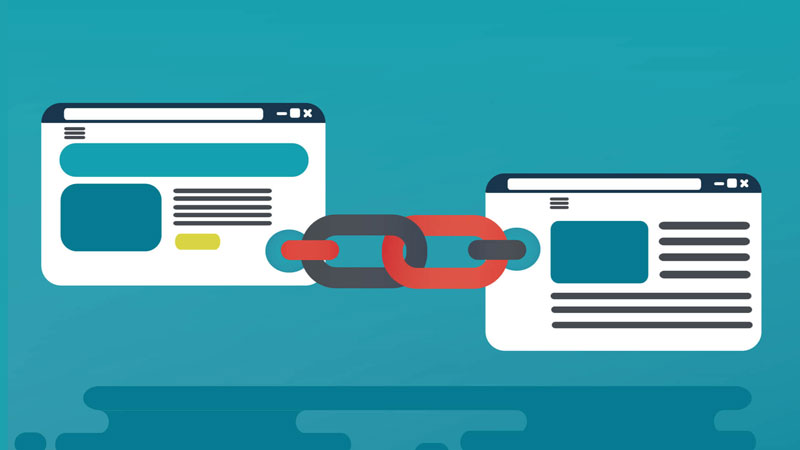
Internal linking for SEO is the practice of creating hyperlinks that connect one page of your website to another page within the same domain.
Unlike external links, which point to other websites, internal links help users and search engines navigate your own website.
For example, if you’re reading an article about On-Page SEO and it links to another guide about Keyword Research, that connection is an internal link.
These links create relationships between your pages, helping search engines understand how your content is organized and which topics are closely connected.
Think of your website as a city.
Each webpage is like a building, while internal links act as the roads connecting them. Without roads, visitors would struggle to reach different locations. Likewise, without internal links, search engines and users may find it difficult to discover important pages.
Internal links serve several important purposes:
- Help search engines crawl and index pages.
- Guide visitors to relevant content.
- Distribute authority throughout your website.
- Establish topical relationships between pages.
- Improve navigation and user experience.
A strong internal linking structure transforms a collection of individual pages into a well-organized knowledge hub.
Importance of Internal Linking in SEO
Internal linking is far more than a navigation feature. It plays a critical role in how search engines evaluate your website and how users interact with your content.
When implemented strategically, internal links strengthen your website’s architecture, improve discoverability, and increase the visibility of your most important pages.
Below are the key reasons why internal linking is essential for SEO.
1. Helps Search Engines Discover and Crawl Pages
Search engines discover new content by following links.
When Google’s crawlers visit your website, they use internal links to move from one page to another. If an important page has few or no internal links pointing to it, search engines may struggle to discover or crawl it efficiently.
Adding contextual internal links from relevant pages helps search engines find new content faster and understand where it fits within your website.
This is especially valuable when publishing new articles or updating existing pages.
2. Distributes Link Equity Across Your Website
Not every page on your website has the same level of authority.
Pages that earn high-quality backlinks naturally accumulate more authority than others.
Strategic internal linking allows you to distribute part of that authority, often referred to as link equity, to other important pages.
For example, if one of your blog posts has earned backlinks from reputable websites, linking from that article to a key service page or cornerstone guide can help strengthen its ranking potential.
Rather than allowing authority to remain concentrated on a few pages, internal linking helps spread its value throughout your website.
3. Builds Topical Authority
Search engines increasingly evaluate websites based on topical authority rather than individual keywords.
Internal links help establish relationships between pages covering similar subjects.
For example, a comprehensive ‘What Is SEO’ guide can naturally link to supporting articles about:
Together, these pages create a topic cluster that demonstrates expertise across the subject.
The stronger these connections become, the easier it is for search engines to understand your website’s depth of knowledge.
4. Improves User Experience
Internal links help visitors discover related content without having to search your website manually.
Instead of ending their journey after reading a single article, users can continue exploring additional resources that answer related questions.
Benefits include:
- Easier navigation
- Longer session duration
- Increased page views
- Lower bounce rates
- Better user engagement
Helping users find the next logical piece of content creates a smoother browsing experience while increasing the likelihood they’ll return to your website.
5. Increases Page Views and Engagement
Relevant internal links encourage visitors to continue exploring your website.
For example, someone reading about keyword research may also be interested in learning about search intent, content optimization, or technical SEO.
Strategically placing these recommendations keeps visitors engaged while exposing them to more of your expertise.
Higher engagement signals often indicate that users find your content valuable.
6. Supports Higher Search Rankings
Although internal links alone won’t guarantee top rankings, they strengthen many of the factors that influence SEO success.
A strong internal linking strategy helps search engines:
- Understand page relationships.
- Identify important content.
- Crawl websites more efficiently.
- Pass authority between related pages.
- Better interpret topical relevance.
Combined with high-quality content and sound technical SEO, internal linking can significantly improve your website’s overall search visibility.
7. Guides Users Toward Conversions
Internal links shouldn’t only connect blog posts.
They should also help visitors move toward meaningful actions.
For example, informational content can naturally link to:
- Service pages
- Product pages
- Contact pages
- Consultation forms
- Case studies
- Pricing pages
These connections create logical pathways that help transform visitors into leads or customers.
8. Prevents Orphan Pages
Orphan pages are pages that have no internal links pointing to them.
Because they aren’t connected to the rest of your website, they’re more difficult for users and search engines to discover.
Regular internal linking ensures every valuable page remains accessible through your website’s navigation and contextual content.
Eliminating orphan pages improves crawlability, strengthens website structure, and maximizes the visibility of your content.
How Search Engines Use Internal Links
Search engines don’t simply read the content on a page. They also analyze how pages are connected.
Every internal link provides valuable context that helps search engines understand your website.
When Google’s crawlers follow internal links, they evaluate signals such as:
- Which pages receive the most internal links.
- How pages relate to one another.
- Which anchor text is used.
- How deep pages are within the website.
- Whether pages belong to the same topic cluster.
These signals help search engines determine which pages are likely to be the most authoritative and relevant.
Imagine your homepage links to a complete guide about ‘What Is SEO’, which then links to supporting articles on On-Page SEO, Technical SEO, Local SEO, and Keyword Research.
This organized structure tells search engines that the primary guide serves as a cornerstone resource, while the supporting articles provide deeper coverage of individual topics.
Instead of viewing your content as isolated pages, search engines recognize a connected network of expertise.
This is one of the reasons why a well-structured internal linking strategy has become an essential part of modern SEO.
Types of Internal Links
Not all internal links serve the same purpose. Some help users navigate your website, while others strengthen your SEO by passing authority and establishing topical relationships.
Understanding the different types of internal links allows you to build a more effective website architecture.
1. Contextual Links
Contextual links are hyperlinks placed naturally within the main body of a page.
These are the most valuable type of internal links because they provide both users and search engines with context about the destination page.
For example, while discussing keyword research, you might naturally link to your guide on Search Intent or On-Page SEO.
Because these links appear within relevant content, Google uses them as strong signals to understand how topics relate to one another.
2. Navigation Links
Navigation links appear in your website’s main menu.
They help users quickly access your most important pages, such as:
- Home
- Services
- Blog
- Knowledgebase
- Contact
Navigation links establish your site’s primary hierarchy and help search engines understand the overall structure of your website.
3. Breadcrumb Links
Breadcrumbs display a page’s location within your website hierarchy.
Example:
Home → Knowledgebase → On-Page SEO → Internal Linking
Breadcrumbs improve navigation while providing additional internal links that reinforce your site’s structure.
They also qualify for breadcrumb structured data, which may enhance your appearance in search results.
4. Sidebar Links
Sidebar links typically recommend related articles, popular resources, or important pages.
While they don’t usually carry as much contextual relevance as links within the main content, they can still help visitors discover valuable resources.
Keep sidebar recommendations relevant instead of displaying random articles.
5. Footer Links
Footer links help users access important pages regardless of where they are on your website.
Common footer links include:
- About Us
- Contact
- Privacy Policy
- Sitemap
- Popular Categories
- Important Guides
Avoid stuffing your footer with hundreds of keyword-rich links, as excessive footer links provide little SEO value and can create a poor user experience.
SEO Internal Linking Best Practices
Building internal links isn’t simply about adding hyperlinks throughout your content.
A successful internal linking strategy requires thoughtful planning that improves both search visibility and user experience.
The following best practices will help you maximize the SEO value of every internal link.
1. Use Descriptive Anchor Text
Anchor text is the clickable text within a hyperlink.
Instead of generic phrases like:
- Click here
- Learn more
- Read this
Use descriptive anchor text that clearly explains what users will find after clicking.
Good examples include:
- Internal linking strategy
- Keyword research guide
- Technical SEO checklist
- Image optimization best practices
Descriptive anchor text helps users understand where the link leads while giving search engines additional context about the destination page.
2. Link Related Content Naturally
Only create internal links when they genuinely add value.
Every link should help readers continue learning about the topic they’re currently exploring.
For example:
An article about On-Page SEO should naturally connect to guides covering:
- Keyword Research
- Internal Linking
- Image SEO
- Meta Tags
- Content Optimization
Contextual relevance is far more important than the number of links on a page.
3. Prioritize Your Most Important Pages
Not every page on your website deserves equal attention.
Identify your cornerstone content, pillar pages, service pages, or highest-converting resources, then ensure they receive the greatest number of relevant internal links.
For many websites, these include:
- Ultimate guides
- Service pages
- Category pages
- Product collections
- High-converting landing pages
The more quality internal links these pages receive, the stronger their overall authority becomes.
4. Build Topic Clusters Around Pillar Pages
Modern SEO increasingly rewards topical authority.
Instead of publishing isolated articles, organize related content into topic clusters.
For example:
| Pillar Page | Supporting Articles |
|---|---|
| What Is SEO | On-Page SEO, Technical SEO, Local SEO, Image SEO, Keyword Research, Website Audit |
Every supporting article should link back to the pillar page, while the pillar page links to each supporting resource.
This structure helps search engines understand that your website comprehensively covers the subject.
5. Maintain a Logical Website Hierarchy
A well-organized website is easier to crawl and navigate.
A typical hierarchy looks like:
Homepage
↓
Category or Knowledgebase
↓
Pillar Page
↓
Supporting Articles
Each level should naturally connect to the next, creating a clear path for both users and search engines.
6. Keep Important Pages Within Three Clicks
Pages buried deep within your website often receive less attention from both users and search engines.
Whenever possible, ensure important pages can be reached within three clicks from your homepage.
Reducing crawl depth makes your website more accessible while helping search engines discover content more efficiently.
7. Update Older Content With New Internal Links
Every time you publish a new article, revisit older content that discusses related topics.
Add contextual links pointing toward the new page.
Likewise, include links from the new article back to relevant existing resources.
This creates a stronger content network while helping new pages get discovered and indexed more quickly.
8. Avoid Excessive Internal Links
Internal links should improve navigation, not overwhelm readers.
Adding dozens of unnecessary links to every paragraph can reduce readability and dilute the value of important links.
Focus on quality rather than quantity.
Only include links that genuinely help users continue their journey.
9. Fix Broken Internal Links
Broken links create poor user experiences and waste crawl resources.
Regularly audit your website to identify:
- 404 pages
- Incorrect URLs
- Redirect loops
- Outdated internal references
Repairing broken links keeps your website healthy while improving crawl efficiency.
10. Eliminate Orphan Pages
Every valuable page should receive at least one contextual internal link from another relevant page.
If a page has no incoming internal links, search engines may struggle to discover it.
Conduct regular website audits to identify orphan pages and connect them to your existing content where appropriate.
A well-connected website is easier to crawl, easier to navigate, and significantly stronger from an SEO perspective.
Common Internal Linking Mistakes
Even experienced website owners can weaken their SEO by making simple internal linking mistakes. Avoiding these issues helps maintain a healthy website structure and ensures search engines can crawl your content efficiently.
1. Using Generic Anchor Text
Anchor text should clearly describe the destination page.
Avoid vague phrases like:
- Click here
- Read more
- Learn more
Instead, use descriptive anchor text such as:
- Internal linking best practices
- Technical SEO guide
- Website audit checklist
Descriptive anchors improve accessibility, provide context to users, and help search engines understand the linked page.
2. Over-Optimizing Anchor Text
While descriptive anchors are important, using the same keyword repeatedly can appear unnatural.
For example, instead of linking every page using “internal linking for SEO”, vary your anchor text naturally:
- Internal linking strategy
- SEO internal linking
- Internal linking guide
- Best practices for internal links
Natural variation improves readability while helping search engines understand the broader topic.
3. Linking Irrelevant Pages
Every internal link should provide additional value to the reader.
Avoid linking pages simply because they exist. Instead, connect pages that naturally support one another.
For example:
- An article about Keyword Research can link to Search Intent and Content Optimization.
- An article about Image SEO can link to Core Web Vitals and Page Speed Optimization.
Relevant links strengthen topical relationships across your website.
4. Creating Redirect Chains
Redirect chains occur when an internal link points to a page that redirects to another page.
For example:
Page A → Page B → Page C
Instead, update the original link so it points directly to the final destination.
Page A → Page C
Removing unnecessary redirects improves crawl efficiency and page speed.
5. Ignoring Orphan Pages
Pages without incoming internal links are known as orphan pages.
Although they may still appear in your XML sitemap, search engines often struggle to discover and prioritize them.
Regularly review your website to ensure every valuable page receives contextual links from related content.
6. Having Too Many Links on One Page
Adding dozens or even hundreds of internal links to a single page can dilute their value and overwhelm readers.
Rather than linking every possible keyword, focus on the pages that genuinely help users continue learning.
Quality always outweighs quantity.
Internal Linking Strategy for Growing Websites
As your website expands, internal linking becomes increasingly important.
Without a clear strategy, content can become disconnected, making it harder for users to navigate and for search engines to understand your site’s structure.
A scalable internal linking strategy includes the following steps.
1. Build Pillar Pages and Topic Clusters
Start by identifying your most comprehensive resources.
These become your pillar pages.
Then create supporting articles that cover individual subtopics in greater detail.
For example:
| Pillar Page | Supporting Articles |
|---|---|
| What Is SEO | On-Page SEO, Technical SEO, Local SEO, Image SEO, Keyword Research, Website Audit, Off-Page SEO |
Every supporting article should link back to the pillar page, while the pillar page links to each supporting resource.
This hub-and-spoke structure reinforces topical authority and helps search engines understand the relationship between your content.
2. Update Existing Articles Regularly
Whenever you publish new content, review your older articles and add contextual links where appropriate.
Likewise, link from the new article back to existing relevant resources.
Over time, this creates a highly connected content ecosystem rather than isolated blog posts.
3. Prioritize High-Value Pages
Focus your internal linking efforts on pages that contribute most to your business goals, such as:
- Cornerstone guides
- Service pages
- Product pages
- Lead generation pages
- High-converting landing pages
These pages should receive consistent contextual links from across your website.
4. Audit Your Internal Links Frequently
As your website grows, pages are updated, URLs change, and new content is added.
Conduct regular internal linking audits to identify:
- Broken links
- Redirect chains
- Orphan pages
- Underlinked pages
- Opportunities for additional contextual links
Routine maintenance keeps your internal linking strategy effective over the long term.
Internal Linking Audit Checklist
Use this checklist whenever you audit your website.
1. Website Structure
- Every important page receives internal links.
- No orphan pages exist.
- Website hierarchy is logical.
- Important pages are within three clicks of the homepage.
2. Anchor Text
- Anchor text is descriptive.
- Anchor text varies naturally.
- No excessive exact-match anchors.
3. Link Quality
- Links are contextually relevant.
- No broken internal links.
- No redirect chains.
- No unnecessary links.
4. SEO
- Pillar pages link to supporting articles.
- Supporting articles link back to pillar pages.
- XML sitemap is up to date.
- Breadcrumb navigation is implemented.
5. User Experience
- Internal links help users continue learning.
- Navigation is simple.
- Related articles are displayed.
- Important pages are easy to find.
Regularly reviewing this checklist helps maintain a healthy website architecture and supports long-term SEO performance.
Best Internal Linking Tools
Several SEO tools can help analyze and improve your internal linking strategy.
| Tool | Best For |
|---|---|
| Google Search Console | Discover indexed pages and internal links |
| Screaming Frog SEO Spider | Crawl analysis, orphan pages, broken links |
| Ahrefs Site Audit | Internal link opportunities and link depth |
| Semrush Site Audit | Website health and internal linking reports |
| Sitebulb | Visual website architecture and crawl analysis |
| Yoast SEO (WordPress) | Internal linking suggestions |
| Rank Math | Internal link recommendations and content optimization |
Using these tools regularly makes it easier to identify opportunities to strengthen your website’s internal link structure.
Final Thoughts
Internal linking is one of the few SEO strategies that is entirely under your control.
Unlike backlinks, which must be earned from other websites, internal links can be planned, optimized, and improved whenever your content evolves.
A well-executed internal linking strategy helps search engines discover your pages, understand your website’s structure, distribute authority, and recognize your topical expertise.
At the same time, it creates a better browsing experience by guiding visitors toward the information they need.
As your website grows, regularly reviewing your internal links becomes just as important as publishing new content.
By following the SEO internal linking best practices outlined in this guide, you’ll build a stronger website architecture that supports higher rankings, improved user engagement, and sustainable organic growth.
Remember, every internal link is an opportunity to strengthen your website. Use them strategically, keep them relevant, and ensure they always add value for both users and search engines.